
★ ★ ★ ★ ★
Surprisingly great
I measured and designed easily. The UI is simple and intuitive. The plans are detailed and professional!
Scan a room with your iPhone, get an editable 2D and 3D project instantly, and generate a branded report in one tap.
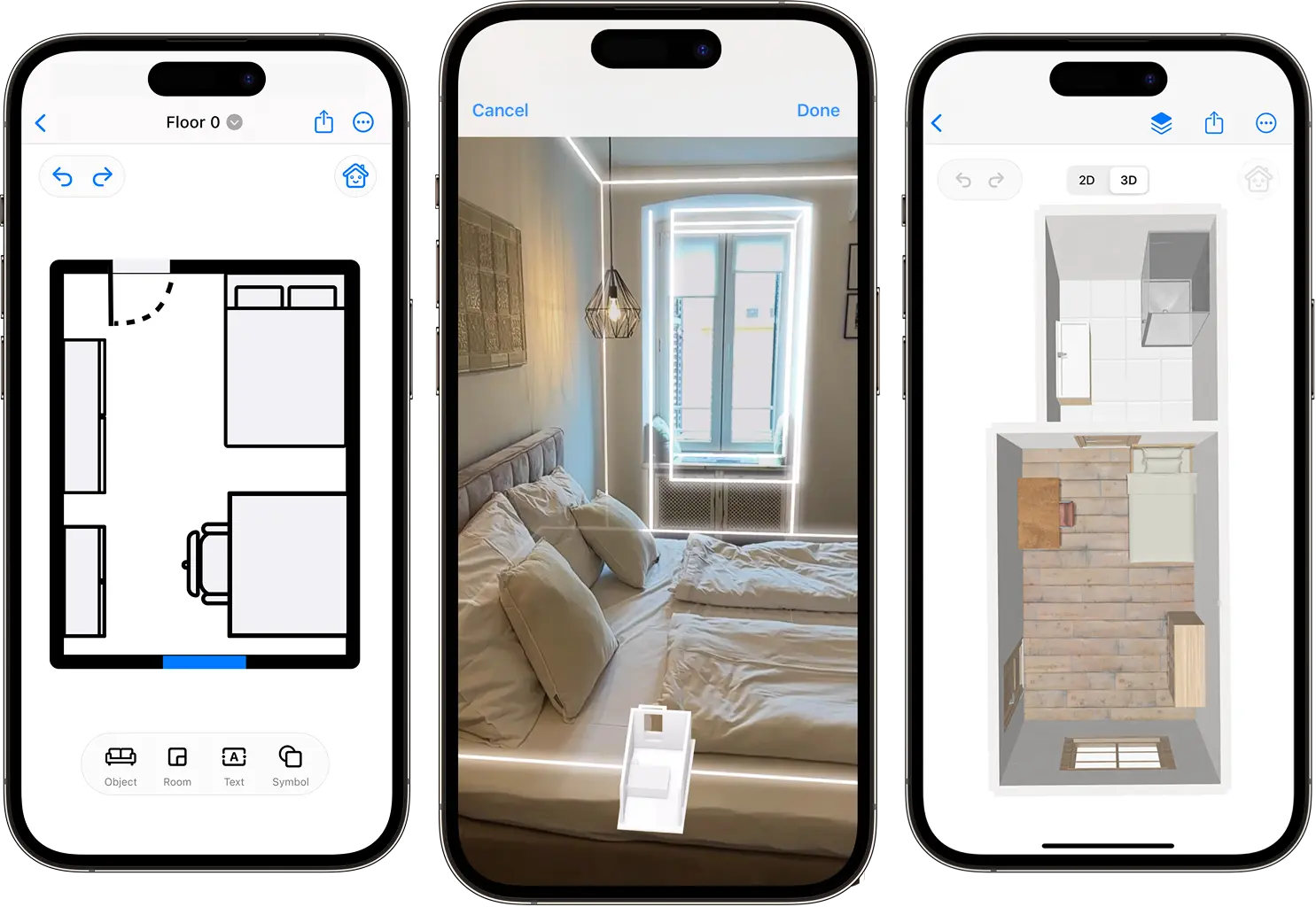
How it works
Five steps from a raw space to a finished estimate and client-ready files.
Scan with LiDAR on an iPhone Pro or iPad Pro, or film a quick walkthrough on any iPhone or iPad and AI Video Scan draws it. Walls, doors and windows are detected automatically.
Your scan becomes a clean, editable project instantly. Drag furniture, adjust walls, label rooms, and export in the formats your clients need.
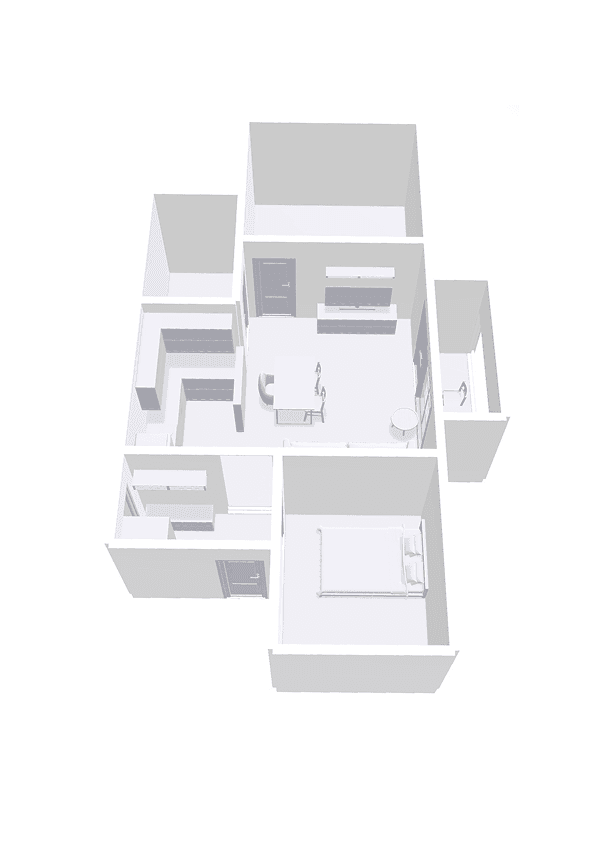
Switch to 3D and explore the room as if you were there. Swap materials, finishes, and lighting to preview a renovation before a wall is moved.
Turn your measured rooms into itemized cost estimates, then send branded quotes and invoices to clients, all from the same project.
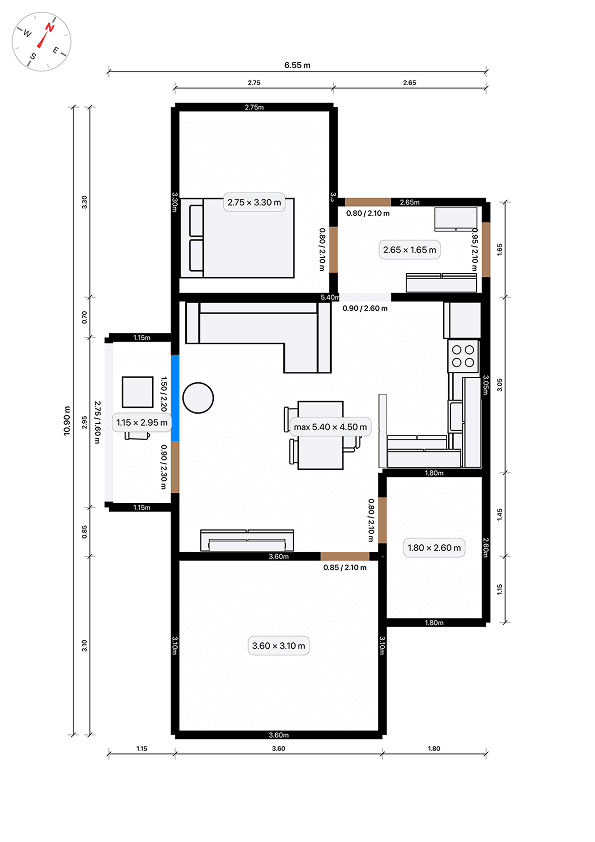
Share your plan as a PDF report, image, CAD or BIM file, or 3D model, with measurements, area breakdowns and your firm's branding.
More to love
Collaboration, exports, AI, AR - all built into one focused iOS app.
Invite teammates to edit a project together. Changes sync the moment they happen.
Scan, edit, and design without signal. Sync to the cloud the moment you're back.
Native on every Apple device, with handoff between them and pencil support on iPad.
Estimate paint, flooring, tile, and wallpaper from real measurements - automatically.
PDF, PNG, SVG, CAD, DXF, USDZ, OBJ, DAE. Everything your client or contractor expects.
Redesign any room with natural-language prompts. Iterate ten times faster.
Place furniture and finishes in your real room using AR before you commit.
Add your firm's logo, colors, and contact details to every report you send.
From the App Store
I measured and designed easily. The UI is simple and intuitive. The plans are detailed and professional!
Wow! I was really worried about using the app for the first time. It was easy and intuitive. I love it!
This app has made renovation planning so much easier.
Built for
Plan renovations and visualize your dream home in minutes.
Sell faster with professional projects buyers actually trust.
Iterate ideas faster with AI-assisted layouts and previews.
Estimate materials accurately from real-world measurements.
Win projects with before-and-after visuals on the spot.
Plan installs with accurate spatial data, every time.
Cut surveying time and export straight to CAD.
Keep accurate digital records of every property.
Generate compliant reports with measurements clients trust.
Document damage and rebuild plans for every claim.
Plan wiring and panel placement before pulling cable.
Measure rooms and windows for Energy Performance Certificates.
Common questions