
★ ★ ★ ★ ★
Surprisingly great
I measured and designed easily. The UI is simple and intuitive. The plans are detailed and professional!
Capture existing conditions with your iPhone. Get accurate DXF and 3D exports that drop straight into your CAD workflow.
How it works
Four steps from a raw space to a finished, client-ready report.
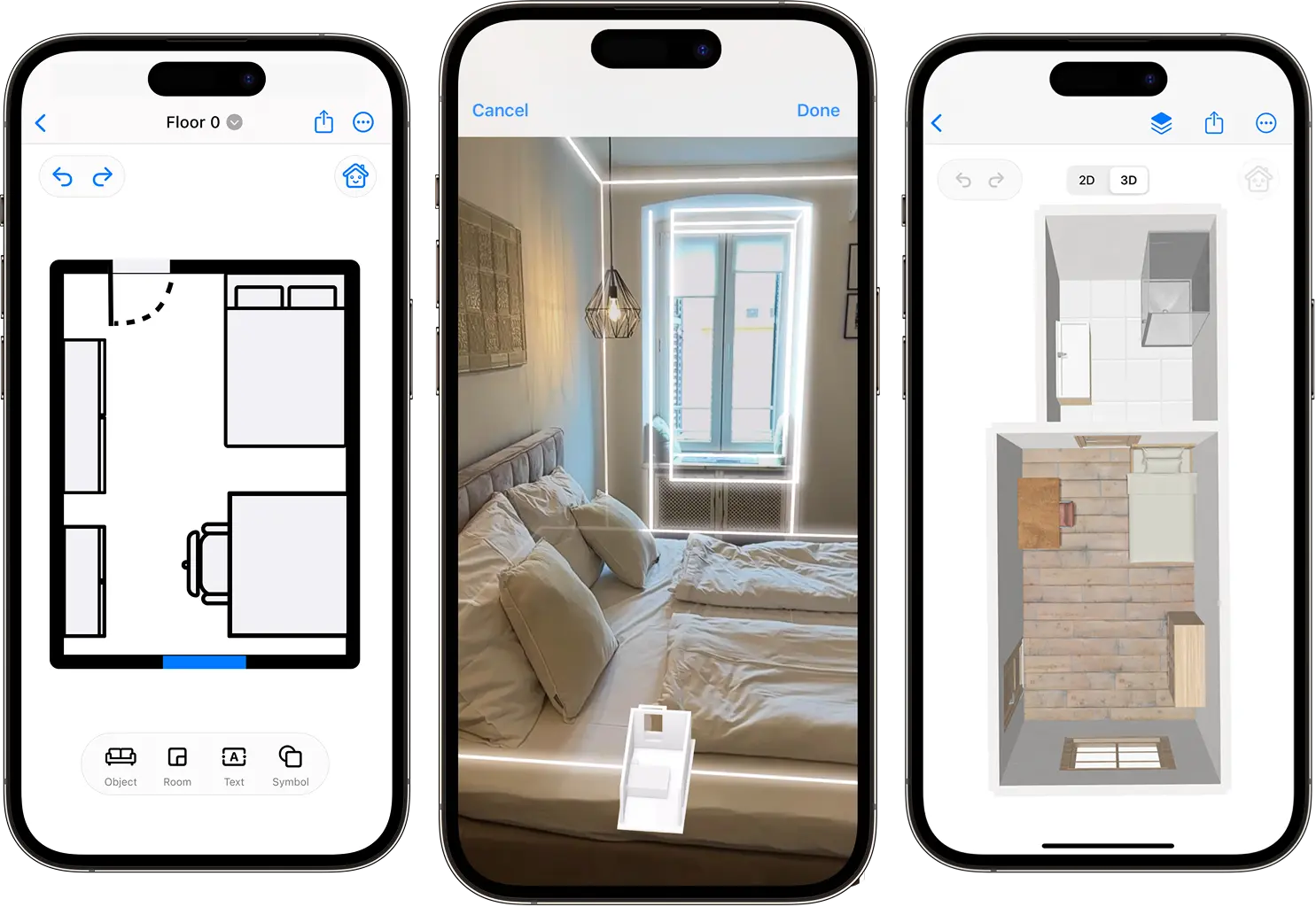
Move your iPhone or iPad around the space. CamPlan reads the LiDAR sensor in real time and detects walls, doors, and windows automatically.
Your scan becomes a clean, editable project instantly. Drag furniture, adjust walls, label rooms, and export in the formats your clients need.
Switch to 3D and explore the room as if you were there. Swap materials, finishes, and lighting to preview a renovation before a wall is moved.
Generate detailed PDF reports with measurements, area calculations, and your firm's branding - ready to send to clients, contractors, or appraisal review.
More to love
Collaboration, exports, AI, AR - all built into one focused iOS app.
Invite teammates to edit a project together. Changes sync the moment they happen.
Scan, edit, and design without signal. Sync to the cloud the moment you're back.
Native on every Apple device, with handoff between them and pencil support on iPad.
Estimate paint, flooring, tile, and wallpaper from real measurements - automatically.
PDF, PNG, SVG, CAD, DXF, USDZ, OBJ, DAE. Everything your client or contractor expects.
Redesign any room with natural-language prompts. Iterate ten times faster.
Place furniture and finishes in your real room using AR before you commit.
Add your firm's logo, colors, and contact details to every report you send.
From the App Store
I measured and designed easily. The UI is simple and intuitive. The plans are detailed and professional!
Wow! I was really worried about using the app for the first time. It was easy and intuitive. I love it!
This app has made renovation planning so much easier.
Common questions